
How I'm Using AI: March 2026
Starting to look a bit different.

I’ve previously talked about how I used “coding agents” and “agents”. I’ll save you some time from those:
Separate + organize mental context b/c you’re the bottleneck
Just try stuff
These are still true, but I’ve massively expanded my usage and I thought it would be useful to go through.
Part 1: Agent ←→ Human Coworkers
This is the big thing I’m focused on right now like many in the AI orbit1 is agents as forever running coworkers.
Simply put, these are trigger (the task) + Claude Code Opus (the worker) + Skill (the SOP) + Slack (optional human in the loop)
Here’s 2 real world use cases I’m working on this week2
Issue Agent
A ticket gets created, the bot researches and drafts a response. Human sends response and the bot watches daily to see if the partner responded or if we need to reach out. Either way, it recommends a next action.
Lead agent
New lead comes in, agent searches through Hubspot + does additional research, qualifies it, creates any additional Hubspot artifacts and assigns to the sales person.
The System
This is the goal: an observable task queue + execution system that “employs” a series of experts via a growing list of skills.
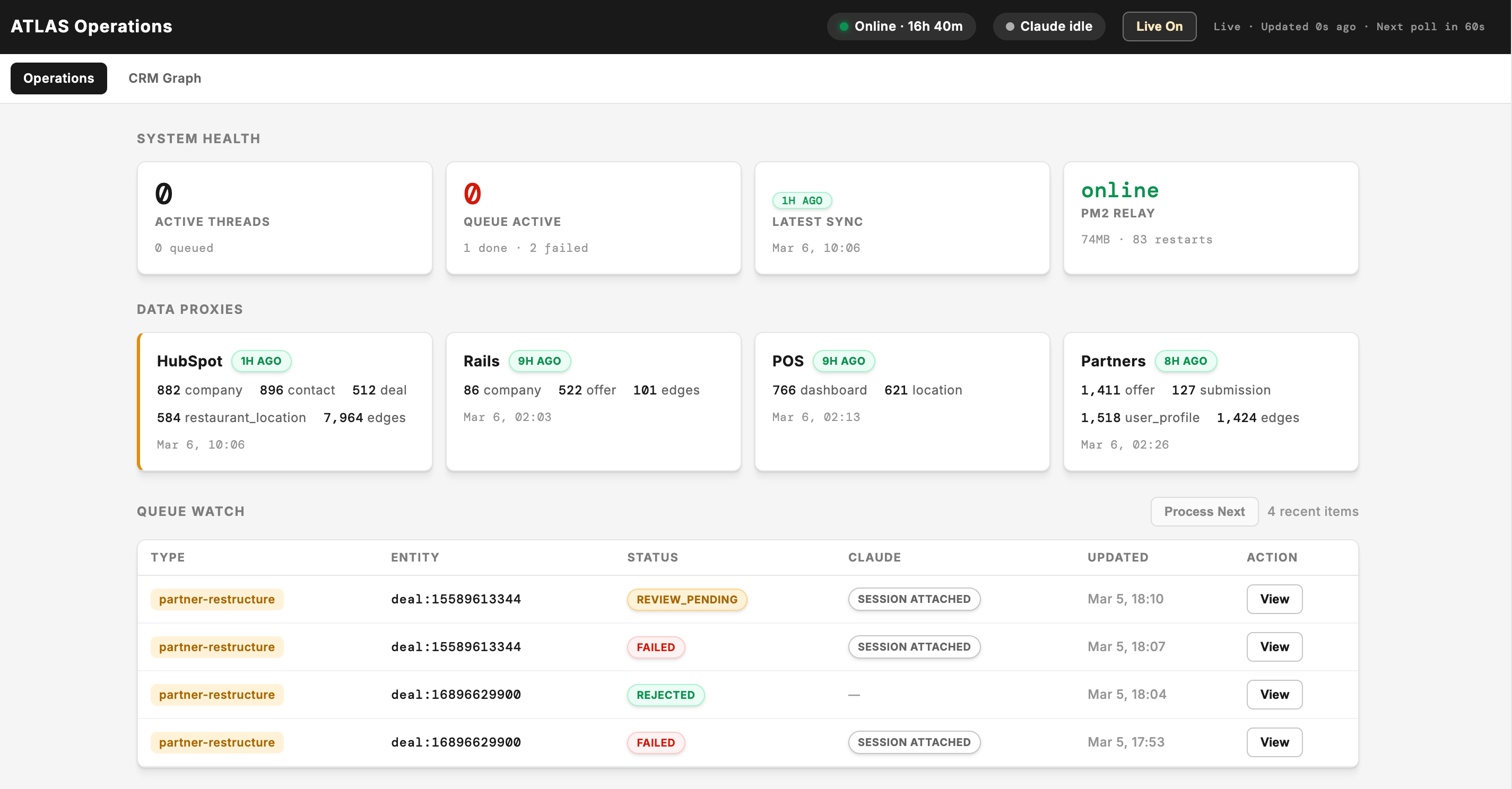
Ok. I’m just building Gastown, right? I did try to get Gastown up and running and while it was interesting and has a lot of cool ideas, it’s a little too much for what we want to do at Offline.
I don’t have much to say here right now b/c what you see above is 2 days old, but I expect to have a lot more to talk about in March.
Part 2: Personal Business Tools
This year, I started a small AI-powered dev shop (Loop Two) that builds things with AI alongside David Shaner’s similar shop. The most interesting things that have come out of this are:
Bookkeeping agent (for me)
Claude Cowork reconciles my books into a spreadsheet by pulling in my Mercury bank transactions, reading and renaming the receipts I drop into a folder, and auto-categorizing transactions. I just check the end result.
Networking Plan (for me)
I’m historically not great at this. I’ve helped start conferences and like going to meetups, but it’s when I need to consistently keep going is when it stops.
The plan itself is not the interesting part. When asked about why we built what we did, Claude said:
The plan inverts traditional networking. Instead of meeting people and hoping it leads to work, you document what you build, show up in small rooms of practitioners, and let the work attract the right people. Every channel — writing, 5-minute demos, pro bono projects, even LinkedIn outreach — is chosen because it runs on an introvert's strengths: depth over breadth, curiosity over pitching, and consistency over intensity. ~Claude Response
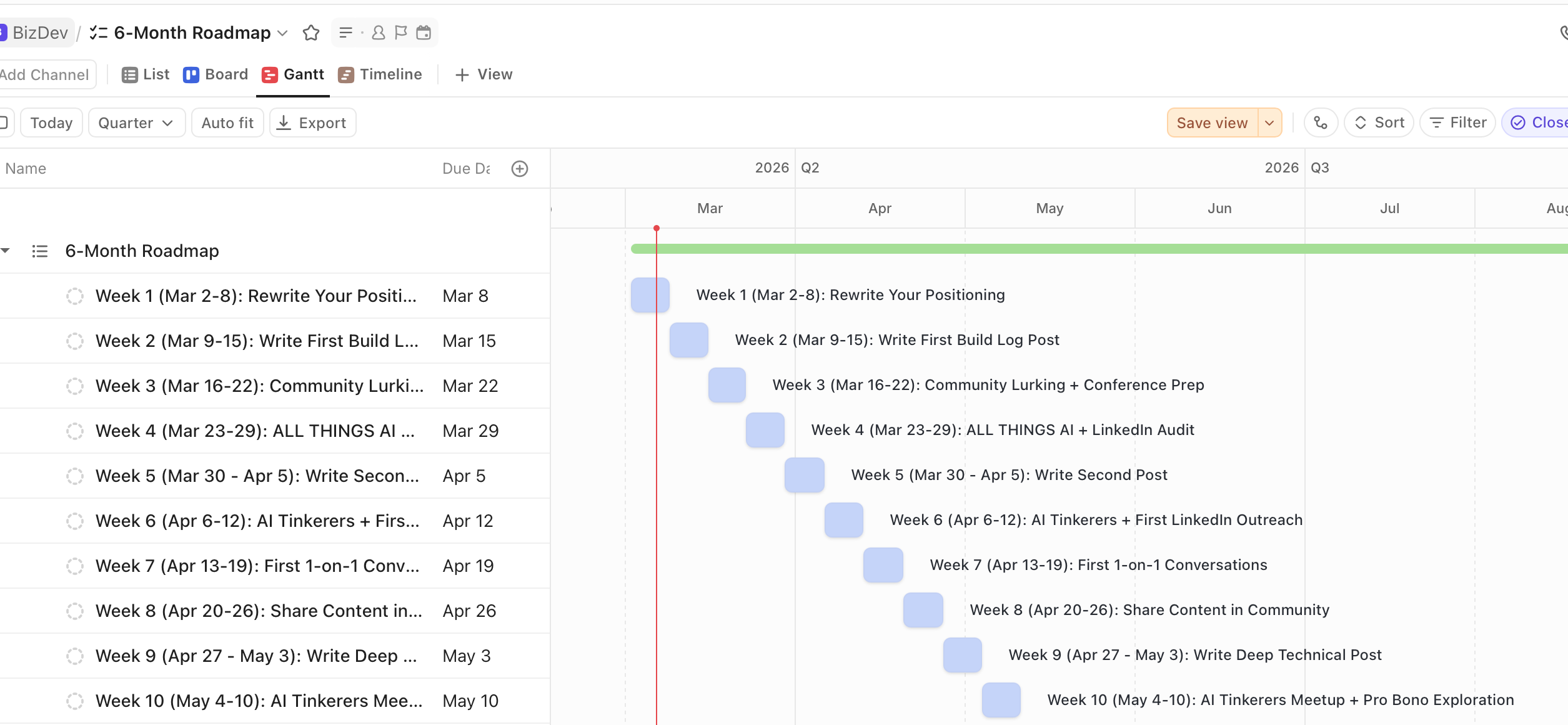
This plan was built for me, personally. We worked on it for around 30 minutes, but it felt like I had a friend that was also good at marketing.
BONUS: It turned the plan into something more visual in Clickup. Not sure if I’ll use this, but it was a fun experiment. I could have also used playgrounds I guess.
Revenue Forecaster (for Offline)
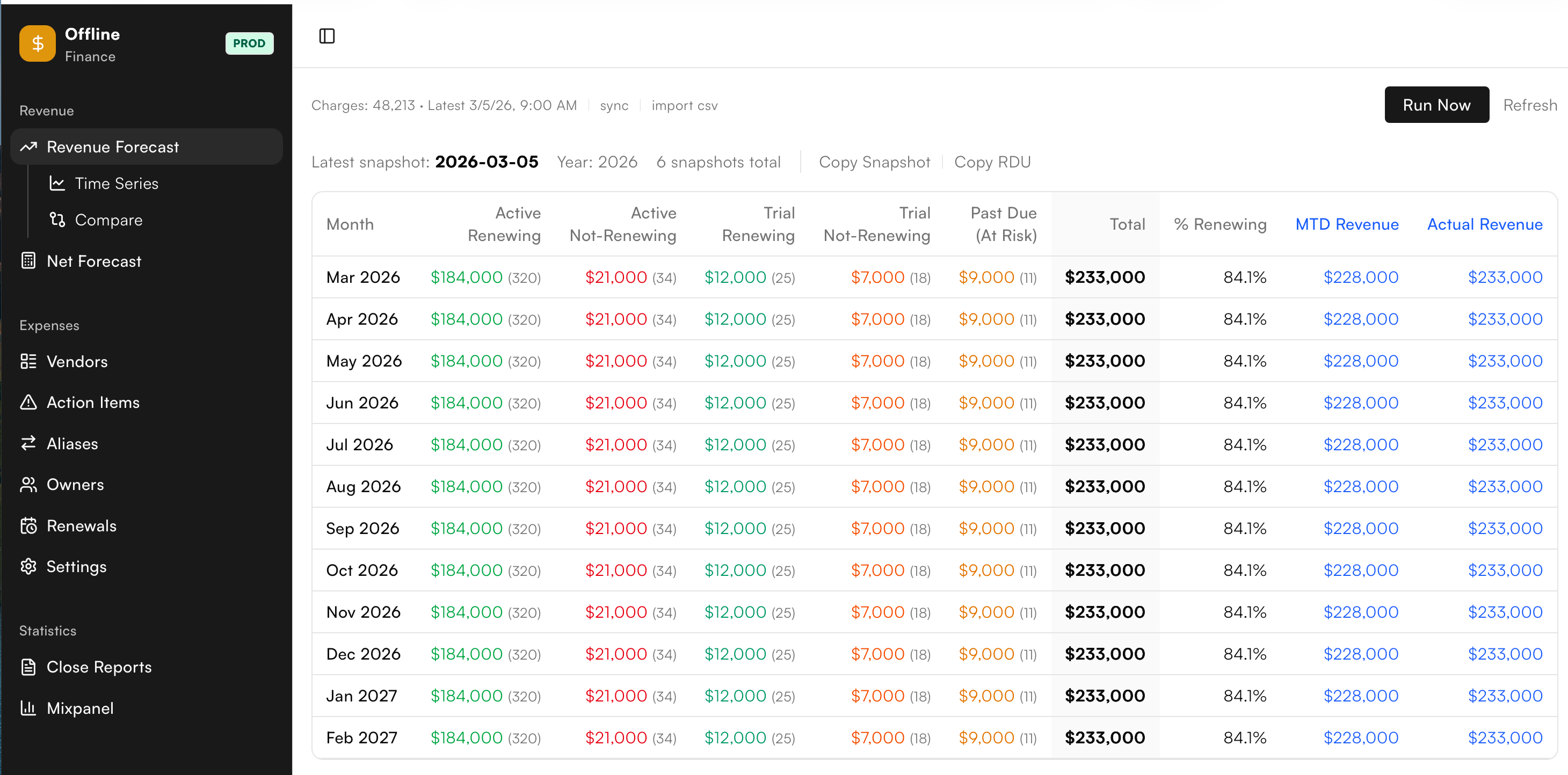
We’re a small team now running Offline. We used to use all of these very heavy tools to do forecasting. But we just don’t need that now.
Revenue - Expenses = hopefully positive
With 1 weekly button press the system:
Pulls in the renewals for the next 12 months through Stripe
Pulls in recent expenses and categorizes them, or makes us a task to assign them to someone at Offline
Pulls in some useful Rails (our backend) info about overall numbers
Yes, we rebuilt a spreadsheet. It’s the Stripe + Rails app + Quickbooks expenses + modeled salary expenses that make this much more useful to us as a small team.
Total time to build: < 1 day
Part 3: Coding
The main things I have to say but not much has changed other than model quality (which is obviously huge).
Codex Desktop app
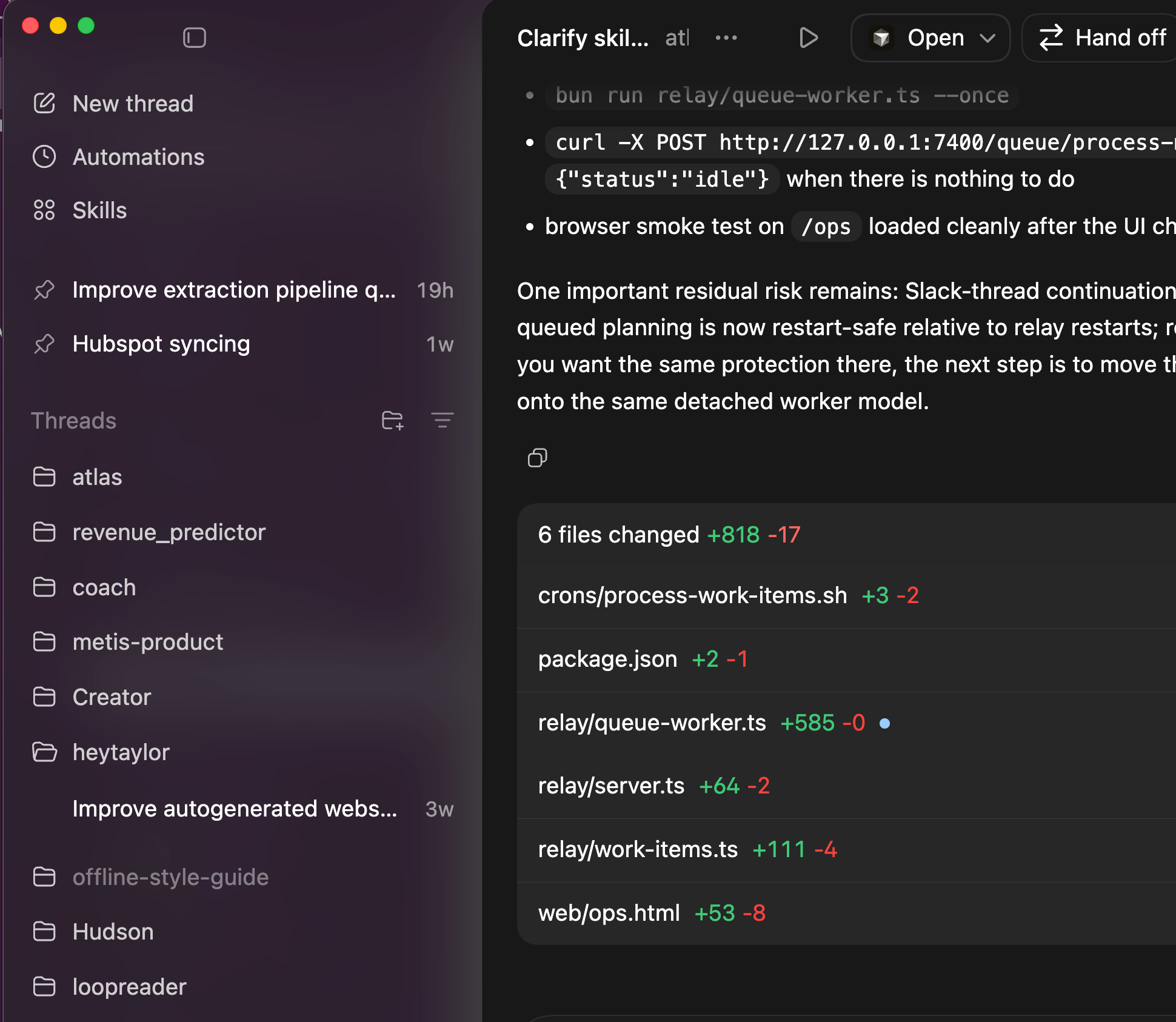
An amazing combination of how I mentally work. Project threads, pinned threads, great model, plan mode…. they’re nailing it with this thing. This is the best way IMO to “separate + organize mental context” for yourself.
Playgrounds skill
I’ve talked about this previously, but many of my new workflows involve generating a playground to QA, brainstorm, or visualize something like a data flow or high level breakdown of what the LLMs are building.
Bye!3
David got these working in an MVP world and I’ll be expanding the system to do much more in this style and be more observable.
Written by me, always. Outline + proofreading by AI and me.